A photo shows your product from one angle. An interactive 3D product viewer shows it from every angle. Visitors turn the model, zoom in on a detail, switch the colour or finish and open the lid. All of it runs live in the browser on desktop, tablet and phone, with no app. Modelwright builds these 3D product presentations for manufacturers, retailers and brands. If you want, the same model also produces your product images for the shop, catalogue and quotes.
Interactive 3D instead of a still image
"3D product visualisation" usually means renderings: photo-realistic stills or films that a studio calculates from a 3D model. They work well in catalogues and campaigns, but viewers only see what the studio decided in advance. We make the model itself something people can use.
| Photo or rendering | 360° spin | Interactive 3D viewer | |
|---|---|---|---|
| Viewing angle | one per image | fixed steps around the product | any, turn freely |
| Zoom into details | only as far as the image resolution allows | limited | right up to the detail, rendered sharp |
| Colours and materials | one image per variant | one image series per variant | switched live |
| Open, cut away, explain | only as a separate image | no | yes, on the model |
| Images for shop and catalogue | yes | yes | yes, from the same model |
A 360° spin is usually a sequence of photos taken at fixed angles. It looks like 3D, but every new colour needs a new series of images. A real 3D viewer renders the image at the moment the visitor moves the model.
What a 3D product viewer can show
Everything below runs in our own examples. They are fictional products built from our own geometry.
- Turn and zoom: from every side, right up to the seam, the setting or the label.
- Materials and colours: the earbuds come in four finishes. On the cosmetics bottle the glass is clear, frosted or amber, computed live, and you can see the content through it.
- Light and sparkle: the stone in the solitaire ring is a 57-facet brilliant that refracts light as you turn it.
- Notes on the model: clicking a note flies the camera to the detail. The earbuds have seven of them.
- Open and operate: open the lid of the charging case, unscrew the bottle's closure.
- Cut away: the living room cut-away shows floor, wall colour and daylight from 7 am to 10 pm, and switches to the floor plan at a click.
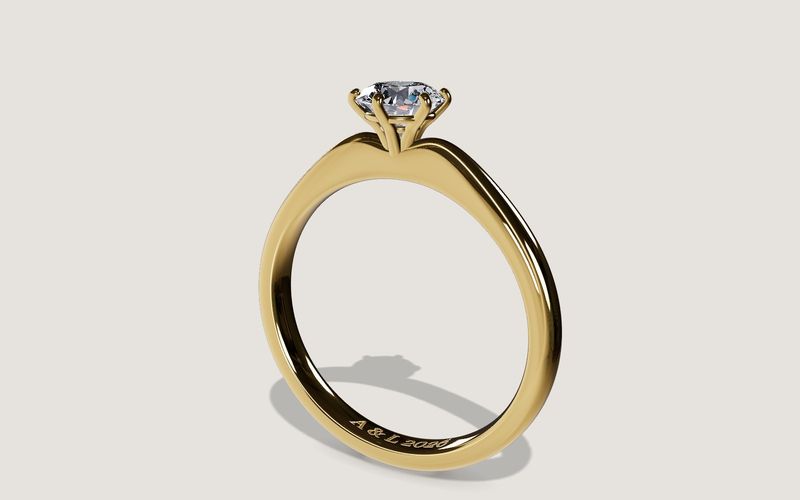
Own demo · fictional product
Solitaire ring
An engagement ring with setting, stone and engraving, in your choice of metal, stone and size.
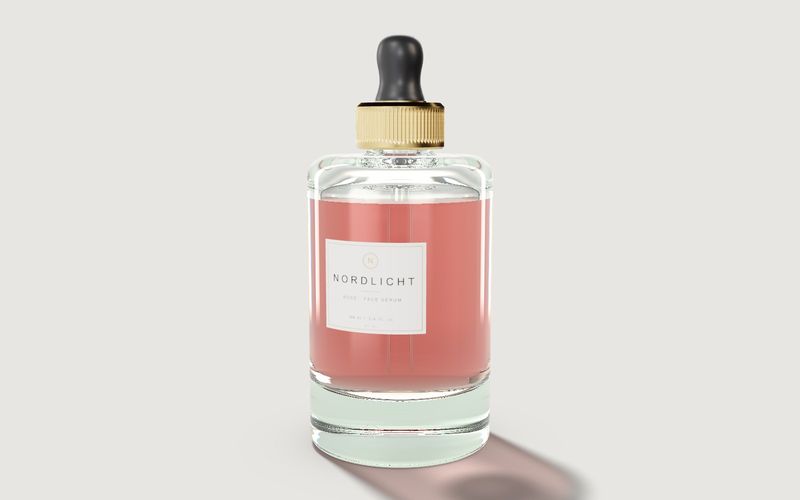
Own demo · fictional product
Cosmetics bottle
A serum bottle with glass, content, cap and label: for design reviews, the shop and sign-off.
Product images from the same 3D model
Once the model exists, it can also produce images: one view per variant, in the same look as the interactive 3D and without a new photo shoot. That keeps the product page, shop gallery, catalogue and quotes consistent. At ALUXIL, the same 3D model that runs next to the price on the product page is the basis for the configuration images in the product gallery. See also services: images from the 3D model.
Where a 3D product presentation helps
- Product page and shop: customers see the product from every side before they buy or enquire.
- Sales teams and dealers: everyone shows the same model, on a laptop, a tablet or in a meeting.
- Trade fairs: you can show the product even when it is too big, too heavy or not yet made.
- Design reviews: packaging, colour or label designs can be discussed internally and with clients before production.
Our industries page shows which sectors we cover with examples.
Viewer, configurator or exploded view?
A product viewer is the leanest form of interactive 3D, and often exactly right. If customers should put together sizes, options and variants themselves, with rules and a parts list, a 3D configurator is the better fit. If the product needs to show what is inside and how it works, add an interactive exploded view. Either way the viewer's model is the starting point, and anything extra is quoted as its own scope.
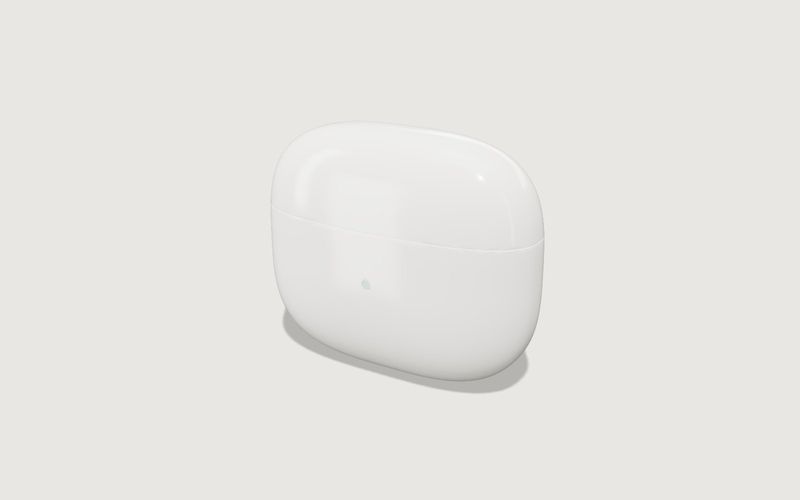
Own demo · fictional product
Earbuds with charging case
A generic electronics product: open the lid, pull the parts apart, explain features on the model.
Load time and devices
A 3D viewer must not slow down the product page. So the page first shows a preview image or a short video. The 3D starts only when the visitor opens it, and devices without 3D support keep the preview image. At ALUXIL the product photo appears immediately and the 3D model loads only when the customer taps "3D", so the page opens as fast as before. The viewer runs in current browsers with WebGL support and is built with three.js.
Integration into your website and shop
The viewer can be linked as its own page or embedded in your website with a short snippet, whatever your CMS. If you want, every file can come from your own server. At ALUXIL that means no third-party requests, no cookies and no extra entry in the consent banner.
Data, process and price
For a product viewer, photos from every side, dimensions and material details are usually enough. We use CAD or 3D data if it suits the web, and we check that before we start. The process is short: a call, your materials, the model, a review via a private link on your own devices, and go-live. A product viewer is a small project. You get a fixed-price quote before we start, including hosting and updates if you want them.
Your files and drafts stay confidential and are only shared via private links. Client work appears in our gallery only with explicit permission.
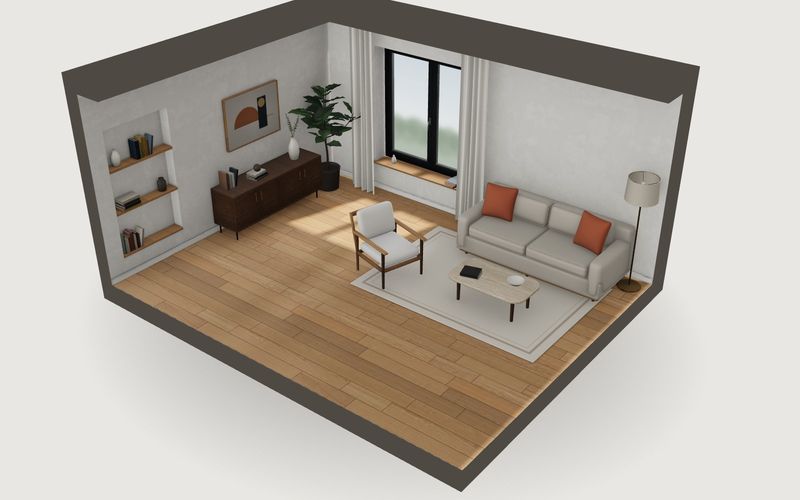
Own demo · fictional product
Living room cut-away
A living room, cut open: floor, wall colour, furnished or empty, daylight and plan view.
See all solutions under services.
Frequently asked questions
What is the difference between a 3D viewer and a 360° view?
A 360° view is usually a sequence of images from fixed angles. A 3D viewer renders the image live. Visitors can turn freely, zoom, switch materials and open parts, and no new images are needed for each variant.
Does a 3D viewer replace our product photos?
Not necessarily. Many sites keep photos and add the 3D. But the model can produce product images for every variant, in the same look as the 3D.
Do we need a finished 3D model?
No. Photos, dimensions and material details are usually enough. Existing CAD or 3D data can speed things up if it suits the web.
Is there an AR view in the customer's room?
Not as standard. We assess case by case whether AR makes sense for your product.
How much does a 3D product viewer cost?
A product viewer is much smaller than a configurator. We define the exact scope in a call, and then you get a fixed-price quote.