You can't see what's inside a product in a photo. An interactive exploded view pulls the parts apart in the browser, in assembly order and with labels. A function view goes further and shows how the mechanism works. The viewer turns the model, makes the housing see-through and runs the drive. They understand how it's built and how it works without opening it. Modelwright builds these exploded and function views for makers of technical products, for use in sales, service, training and on product pages.
What an interactive exploded view shows
Everything below runs in our own examples. They are fictional products with our own geometry and example values.
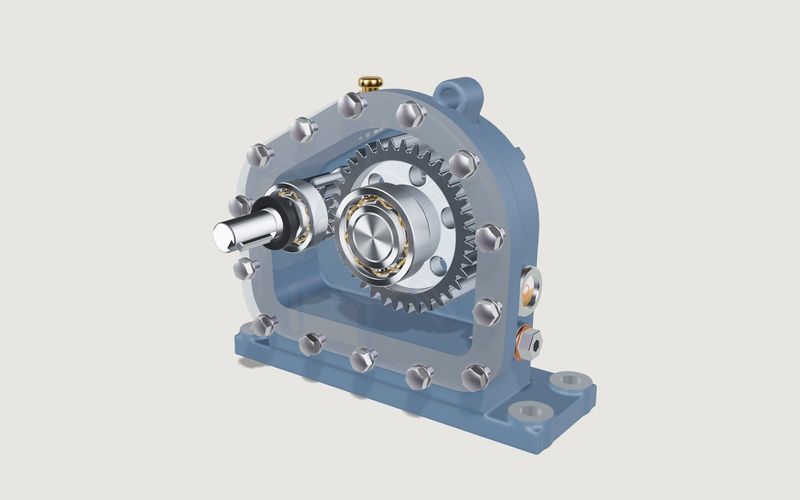
- Exploded in assembly order: the spur gear reducer moves from closed to exploded in the order it is assembled. Bearings, seals, circlips and bolts each become visible.
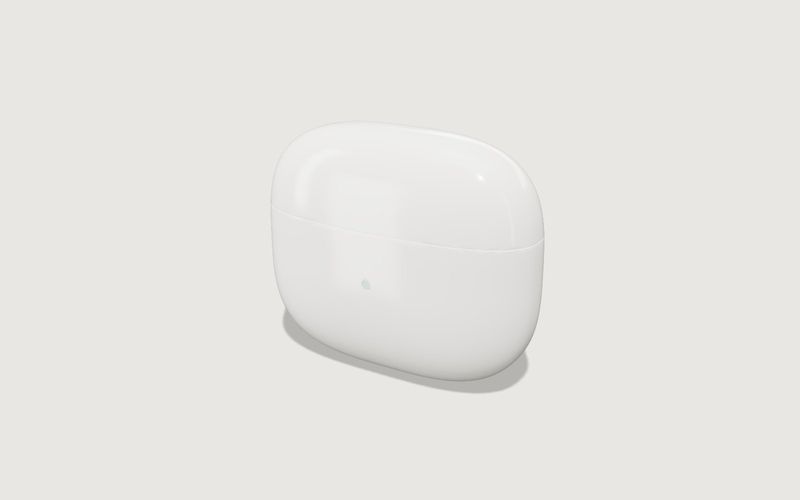
- Labelled parts: the earbuds with charging case show the battery, board, Qi coil, magnets and drivers. Click one of the seven notes and the camera flies to that part.
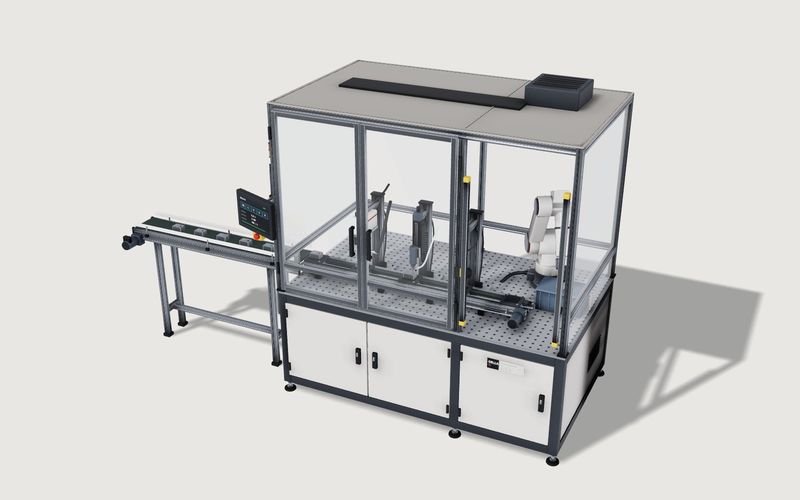
- See-through and cut-away: make the gearbox cover transparent, or open the automation cell in a cut-away and service view with wear parts and intervals.
- Running mechanisms: drive on and off, input speed and the 12 : 36 (3 : 1) ratio at the output, in 1 : 30 slow motion if you like.
- Step-by-step sequences: the folding box folds itself, animated, from flat dieline to closed carton to open box.
Own demo · fictional product
Spur gear reducer
A textbook gearbox for sales and training: see-through cover, exploded view, running drive with ratio.
The gearbox ratings are example values for a fictional product, not a design calculation and not a data sheet.
Interactive exploded view or exploded drawing?
An exploded drawing is a fixed image, for example in an assembly manual or a spare-parts catalogue. It has one viewing angle and one sequence. An interactive exploded view uses the same idea, but you can turn it, zoom in and step through it. It doesn't replace standards-compliant technical documentation. What it does is make the build-up clear to people who don't read technical drawings: customers, new staff, trade-fair visitors.
How manufacturers use it
- Sales: show mechanics and build quality without the machine on site. The model runs in the browser on a laptop or tablet.
- Trade fairs: explain the inside of a device or a system that is too big to ship, or isn't on the stand at all.
- Training: show the build-up and assembly order to service and assembly staff on the model, without opening the machine.
- Service: in the automation cell's service view, wear parts and intervals sit right on the parts.
- Product pages: make visible the technology you can't see from outside, as with electronics and devices.
For our client ALUXIL, the exploded view is one of four explainer views on every product page. Customers can pull the parts of the patio roof apart and follow the drainage path from the roof through the posts, right next to the price on aluxil.de.
Own demo · fictional product
Earbuds with charging case
A generic electronics product: open the lid, pull the parts apart, explain features on the model.
Function view: show how it works
An exploded view shows what a product is made of. A function view shows what it does. In our demos that means:
- the running drive in the gearbox with its visible ratio
- the process in the automation cell: transfer, laser, screwdriver, camera and robot in sequence
- the folding sequence of the box from dieline to opening
- at ALUXIL, the drainage path and the roof in the evening with LED light
Own demo · fictional product
Modular automation cell
A fictional production cell with modules, robot and guarding: rules, placement in the hall, a running process and a parts list with example prices.
Combined with a configurator or viewer
Exploded and function views can be combined with our other solutions. The automation cell is also a configurator with rules and a parts list. The shelving system has an exploded view with dimensions next to its grid. The earbuds combine the exploded view with colour changes. If customers should also choose variants, see our 3D configurator page. If the focus is the product's outside, a 3D product viewer fits.

Own demo · fictional product
Folding box
A tuck-end carton from flat dieline to open box, with real board thickness, creases, print and finishing.
What data the exploded view is built from
For technical products, CAD data is often the best basis, because it already contains the assemblies and parts. Before we start, we check whether it suits the web, then reduce it to a light model for the browser. Common exchange formats such as STEP or IGES and native exports can work; we assess what is usable per project. Without CAD, photos, dimensions, drawings or a sample are usually enough. Your data stays private: only you see your files and drafts, via private links.
What about a 3D spare-parts catalogue?
The automation cell's service view shows what wear parts and intervals can look like on the model, and its parts list carries item numbers. A full spare-parts catalogue with ordering and ERP integration is not standard for us. We assess such integrations case by case and tell you honestly whether they make sense.
Process, integration and price
The process is the same as for all our projects: a call, your materials, model and features, a review via a private link on your own devices, and go-live. The view runs as its own page or embedded in your website, whatever your CMS. The page shows a preview image or video first, and the 3D starts when the visitor opens it. The price mainly depends on the number of parts, the animations and the number of views. You get a fixed-price quote before we start.
See all solutions under services, and related sectors under industries: machinery, industry & training and electronics & devices.
Frequently asked questions
Do we need CAD data for an exploded view?
Not necessarily. For technical products CAD data is often the best basis, if it suits the web. Without CAD we build the model from photos, dimensions and drawings.
Does it run on tablets for training and trade fairs?
It runs in the browser on desktop, tablet and phone, with no app and no plugin. So far we have only checked our demos in lab measurements with emulated mobile devices, not on real tablets; in a project you test it via a private link on the devices you actually plan to use.
Does an interactive exploded view replace our technical documentation?
No. It complements manuals and data sheets by making the build-up and function easy to grasp. Binding specifications stay in your documentation.
Do our design files stay confidential?
Yes. Your data and drafts are only reachable via private links. We show client work publicly only with explicit permission.
How much does an interactive exploded view cost?
It depends on the number of parts, animations and views. After the first call you get a fixed-price quote.