Enquiries from machinery and loading equipment configurators: content, recipients, sales route
What an enquiry from a configurator for cells, gearboxes, farm machinery and loading equipment needs, who receives it and what is built today.
Short answer: for machinery, drives, farm machinery and loading equipment, a configurator, in our assessment, rarely ends in a basket. It ends in an enquiry, and the enquiry looks different by product: for a production cell it goes to application engineering, for a mounted implement to the dealer, for a yard ramp or wheel wash to sales or the rental fleet, and for a gearbox often to sales or service. A good enquiry contains the information the recipient would otherwise have to call back for, and it carries the results of the checks.

Which sales routes exist in this product group?
In our assessment, the seven examples in our library for machinery, drives, automation and loading equipment stand for four patterns that differ clearly in sales:
- Project machinery such as production and automation cells: sold as projects, several people involved on the buyer's side, a quote after application engineering.
- Drive components such as spur and planetary gearboxes: selected by design engineers, sold through technical sales, later service and spare parts.
- Dealer products such as farm implements: sold through agricultural dealers, with advice at the dealer.
- Site-bound equipment such as yard ramps, dock levellers and wheel washes: the enquiry is tied to a place, to vehicles and often to a period of use; sold direct, through dealers or for rent.
For the configurator this means fields, checks and recipients must match the pattern. One form for all four helps nobody.
What belongs in the enquiry, and what is built in the examples?
| Example | Information that saves a call-back | Built in the demo |
|---|---|---|
| Modular automation cell | Modules, handling, guarding, line height, placement, key figures | Parts list with item numbers, example price, cycle time, power and footprint; no enquiry flow |
| Spur gear reducer | Series, ratio, mounting position, application; for service: the part | Explainer with exploded view and notes; no enquiry |
| Planetary gearhead | Frame size, ratio, motor adapter; for service: item number | Explainer with cut-away, item numbers, technical data; no enquiry |
| Folding short-disc harrow | Working width, roller, options, location for dealer routing | Variants and motion; no enquiry |
| Mobile yard ramp | Ramp type, vehicle, bed height, slope, forklift, equipment | Review with checks, enquiry text, two-page PDF |
| Dock leveller and shelter | Number of doors, installation, dock height, vehicles, gradient, shelter | Review with checks, enquiry text, PDF with outside view and section |
| Wheel-wash system | System type, design vehicle, length, lane width, nozzles, water, site | Review with checks and example calculation, enquiry text, PDF with view and plan |
The middle column is our proposal. The right-hand column describes only what is live in the example configurators; all seven show fictional products with example values, and no manufacturer commissioned or reviewed them. Two things stand out. First, three of the seven examples have no enquiry at all: they are explainers. That is a deliberate stage, not a flaw; the step to an enquiry is a project topic of its own. Second, the three examples with a full enquiry are all tied to a site: bed height, dock height, lane. In our assessment, these are a frequent reason for call-backs without a configurator.
What is built, and what would be project work?
Built in the demos
- Checks that do not block. In the yard ramp, dock leveller and wheel wash, check results appear in review, enquiry text and PDF. A red check does not stop the enquiry.
- One-click suggestions. The dock leveller suggests a leveller length or telescopic lip, the wheel wash a length or lane width. The automation cell adjusts dependent options and says why.
- The same rows everywhere. In our testing of the yard ramp, all 21 review rows were found in the PDF.
- Contact fields. The three demos with an enquiry have fields for name, company, email, phone and a quantity (ramps, bays or units), plus a free field for use, location or site.
- Privacy in the preview. In these three demos, inputs are not sent anywhere; text and PDF are created in the browser. In our tests, usage events named only the controls, never typed values.
Proposed for your project
- Sending by email or webhook to your sales team. We set this up per project [2]; it is not built into the demos.
- Routing to a dealer or rental fleet, for example by postcode or region. For farm machinery this is, in our assessment, the obvious route. Not built in any demo; we check it per project.
- Rental fields: start date, duration, site. Obvious for wheel washes and yard ramps, not in the demos.
- An enquiry from an explainer: for gearboxes, "enquire about this series" or a spare-part request with item number. Not built in the gearbox demos.
- Hand-over to a CRM is checked case by case. ERP integration, PDF quotes with binding prices and CPQ are not standard with us.
Who receives the enquiry?
- Application engineering or a sales engineer: for cells and special solutions. What counts are modules, key figures and anything outside the modular range, such as a special frame for an unusual line height.
- Technical sales and service: for gearboxes. Sales needs the series and application, service the part and its position.
- The dealer: for farm machinery. The dealer needs the chosen variant and the location to visit the buyer. Whether the maker sees the enquiry too is a decision to make before the project.
- Sales, dealer or rental fleet: for loading equipment and wheel washes. The rental desk needs period and site, sales the check results.
Decide who receives the enquiry first and whether it is passed on in the same form. Required fields and PDF contents follow from that.
The configurator in sales meetings and at trade fairs
In this group the configurator is not only a route to an enquiry but also a tool for your own sales team. A sales engineer shows the cell at the buyer's line height, a dealer shows a working width that is not in stock, a trade-fair stand shows a loading bay with a docking truck. Two requirements follow: the configurator must run on a tablet without login or app, and the enquiry must be easy to fill in during a meeting, together with the buyer. Whether a dealer or salesperson is recorded as the sender is a project decision; the demos have no field for it.
Show a price or not?
In this group the answer, in our assessment, is rarely "yes, binding". For cells the price depends on application engineering, for farm machinery on the dealer, for loading equipment on installation and site. Of the seven examples, only the automation cell shows example prices per parts-list line, explicitly as example values and not as a quote. A guide price can manage expectations; it then has to be recognisable as a guide price.
How to tell whether it works
We do not promise figures. You can measure whether work shifts: how often sales has to ask back for bed height, vehicle or line height, how many enquiries arrive with a red check and what becomes of them, and which variants are enquired about. We set up the analytics events for this per project.
Three examples with an enquiry

Example configurator · fictional product
Mobile yard ramp configurator
Plan a mobile yard ramp: change the bed height and see the slope at once, checked against an adjustable example limit – with options, review checks and a PDF enquiry.

Example configurator · fictional product
Dock leveller & shelter configurator
Plan a loading bay at the warehouse: dock the vehicle and see at once at what gradient the dock leveller rests on the truck bed.

Example configurator · fictional product
Wheel-wash system configurator
Plan a wheel-wash system for a construction site, quarry or landfill: choose the type, length and nozzles and watch an example truck drive through as its wheels come clean.
Next step
Write three lists: who receives your enquiries today, which details are missing in the first call, and which check your sales team runs before it prices anything. Fields, checks and recipients follow from them. How we build a configurator from that is on 3D configurator development; the cost factors are in what a 3D configurator costs, and other uses in manufacturing in 3D configurators for manufacturers.
Frequently asked questions
Can the enquiry go straight to the responsible dealer?
Technically yes, for example by webhook with routing by postcode. It is not built in our demos; we check it per project.
Should a red check block the enquiry?
Our recommendation is no. An enquiry with a known problem is worth more to sales than no enquiry. In the three demos with an enquiry, no check blocks it.
Do explainers such as the gearboxes need an enquiry?
Not necessarily. A link to the contact page with the series pre-filled can be enough; a dedicated enquiry flow pays off once selection or spare parts are added.
Sources
- Features of the example configurators: "Live in this demo" lists on the seven linked library pages, read 14 November 2026.
- Modelwright: 3D configurator development, scope and what is not standard, read 14 November 2026: modelwright.de/en/3d-configurator/
Examples to try
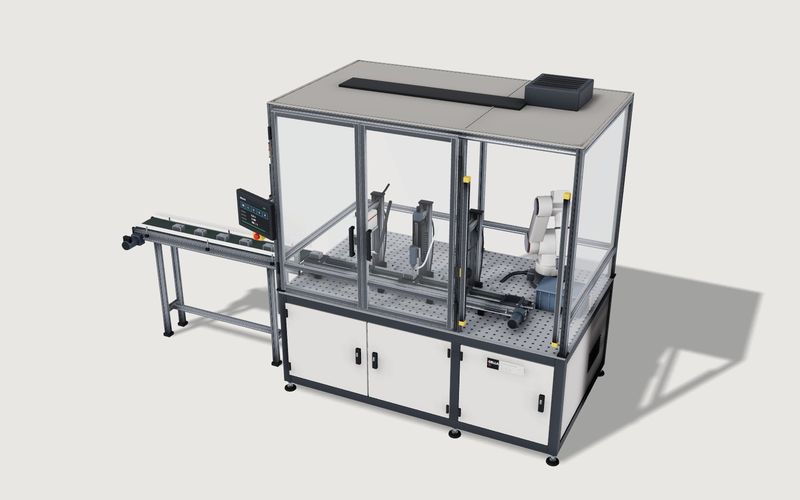
Own demo · fictional product
Modular automation cell
A fictional production cell with modules, robot and guarding: rules, placement in the hall, a running process and a parts list with example prices.
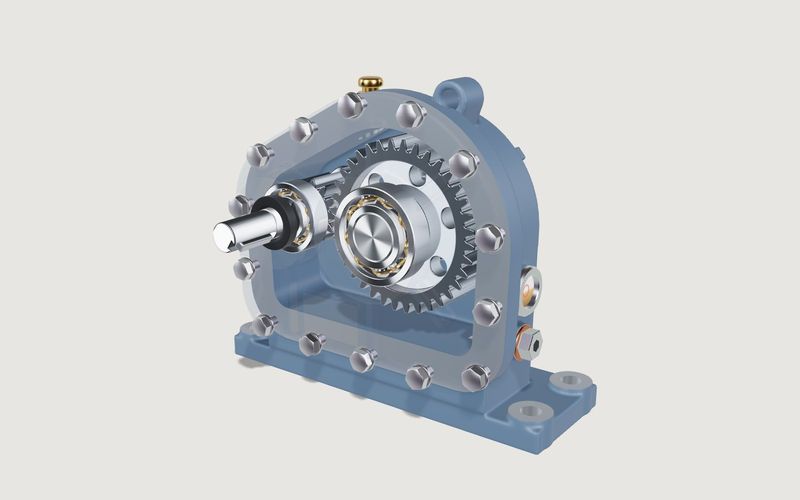
Own demo · fictional product
Spur gear reducer
A textbook gearbox for sales and training: see-through cover, exploded view, running drive with ratio.
Read next

Yurt configurator software for yurt and glamping makers
What a 3D yurt configurator needs: diameter, doors and windows placed around the lattice wall, fabrics, stain, options, a site check and an enquiry.

Yard ramp configurator for manufacturers: features, benefits, implementation
What a 3D configurator for mobile yard ramp makers must do: length, bed height, forklift slope, checks, options and an enquiry with a PDF.

Wood-fired hot tub configurator software for hot tub makers
What a 3D configurator should do for wood-fired hot tub makers: stove type, size, cover, lighting, accessories, a running price and an enquiry.