Folding carton 3D configurator for packaging manufacturers: features, benefits, implementation
What a 3D folding carton configurator does for carton makers and packaging printers: fold the dieline, compare board, print and finishes in the browser.
Short answer: a 3D folding carton configurator folds your dieline into the finished box in the browser and shows board, print colour and finishing on the model. For carton makers and packaging printers it is a sales and approval tool: brand buyers see where artwork lands and how foil or spot UV looks before a proof or sample is made. It shortens the way to the sample; it does not replace it.
This guide is for managing directors, sales leads and product managers at folding carton manufacturers and at printers with their own packaging production.

Why is a folding carton hard to sell while it is still flat?
A folding carton starts as a flat blank. In the quoting phase your buyer, usually a brand, mostly sees flat files: the cutter guide, the artwork on the dieline, perhaps a photo of an earlier sample. Three questions stay open:
- Where does each part of the artwork end up? On a dieline it is hard to tell which panel becomes the front, the top flap or the inside.
- How will the finishing look? Whether a logo works better in gold foil or spot UV cannot be judged from a flat file.
- What does the board do? White board and kraft board change colours and feel noticeably.
A 3D model that folds the real blank answers these questions during the conversation. That is the core of a carton configurator: not a colourful box, but a traceable path from dieline to finished pack.
Who uses a folding carton configurator?
| User | What they want to settle | What the configurator shows |
|---|---|---|
| Brand purchasing and marketing | Shelf impact, choice of board and finish | The folded carton with print, board and finish, free to rotate |
| The manufacturer's sales team | Explain the construction and variants without posting samples | Dieline, folding sequence, open carton |
| The brand's design agency | Where the layout sits on the carton | Artwork on every panel, including flaps |
The sales path is usually business to business, often via tenders or framework agreements. A configurator here supports the conversation and the approval, not a shopping basket. How approvals and sample requests can run, see packaging in 3D: approval, samples and sales.
What does our example configurator show?
Our example configurator shows a reverse tuck end carton for a fictional biscuit brand. Product, dimensions and options are example values; no manufacturer commissioned or reviewed the demo. Live in the demo:
- Three states: dieline, folded and open, with an animated transition.
- Print colour: four colours (terracotta, ink, olive, butter).
- Board: white or kraft.
- Finish: matte, soft-touch or gloss.
- Logo embellishment: gold foil or spot UV.
- Product name: your own text, shown on the carton.
- Contents: three biscuit rolls that can be shown or hidden.
- Info points on the model explaining the tuck lock, crease, cut edge, glue flap and contents.
How these options fit together, for example why the carton first closes and then unfolds into the dieline, is covered in folding carton in 3D: dieline, creases and finishing as rules.
Example configurator · fictional product: Folding box – fold the dieline, pick board, print colour, finish and logo embellishment, type a product name.
What does a carton maker gain?
We do not promise metrics. The benefit shows at points in your process you can check yourself:
- Less explaining in the first meeting. The buyer sees the construction, tuck lock and glue flap on the model instead of reading them from a drawing.
- Earlier decisions on board and finishing. If kraft versus white or foil versus spot UV has already been compared on screen, the sample request is more focused.
- A tool for your standard range. If you sell standard styles in fixed sizes, a configurator can show those sizes and take repeat questions off your sales team.
- Product images from the same model. Images per variant can be produced from the 3D model, for your website or presentations. That is project work, not part of the demo.
Whether it pays depends on how many samples and approval rounds you need today before an order is placed. Your sales team knows that best.
Where are the limits?
- Colour: screens show colour differently. Proofs and press proofs remain binding.
- Manufacturability: whether a construction can be made on your board and machines is your decision as the manufacturer. The demo says nothing about it.
- Product properties: statements on strength, food contact or recyclability do not belong in a configurator. Any text printed on the demo's fictional carton is design filler, not a claim.
When a still image is enough and when interactive 3D pays off is discussed on our 3D product viewer page.
How does a project run?
- Scope: one or a few carton styles, their sizes, boards and finishes. A pure viewer often needs one model; variants with rules need a configurator.
- Data: cutter guide with cut and crease lines as a vector file, board caliper, artwork or sample layouts, photos of samples.
- Model: we build the blank so that it visibly folds on the model, then add print and finishing.
- Review: you test via a private link.
- Go live: as its own page or embedded by snippet; enquiries by email or webhook.
What drives scope and cost is explained in what a 3D configurator costs. How we build configurators in general: custom 3D configurator development.
Frequently asked questions
Can you use our own dieline?
Yes, if it is a vector file with cut and crease lines. We check before the start whether it suits the 3D model.
Does it work for several sizes of one style?
Yes. Whether sizes are fixed variants or driven by dimensions is part of the scope. The demo shows one fixed size.
Is it only for tuck end cartons?
No. The principle suits other carton styles. Each style needs its own folding model.
Sources
- Demo features: the "Live in this demo" list on the Folding box library page and the demo source code (box.js), read 14 November 2026
Examples to try
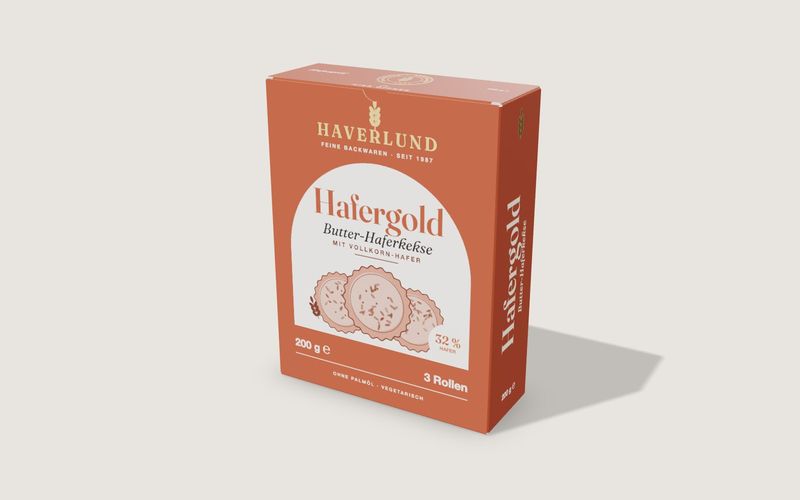
Own demo · fictional product
Folding box
A tuck-end carton from flat dieline to open box, with real board thickness, creases, print and finishing.
Read next

Yurt configurator software for yurt and glamping makers
What a 3D yurt configurator needs: diameter, doors and windows placed around the lattice wall, fabrics, stain, options, a site check and an enquiry.

Yard ramp configurator for manufacturers: features, benefits, implementation
What a 3D configurator for mobile yard ramp makers must do: length, bed height, forklift slope, checks, options and an enquiry with a PDF.

Wood-fired hot tub configurator software for hot tub makers
What a 3D configurator should do for wood-fired hot tub makers: stove type, size, cover, lighting, accessories, a running price and an enquiry.