Implementing personalised products in 3D: text on surfaces, materials, sizes and load time
How engraving, embroidery and lettering appear live on a 3D model, how metal, stone, fabric and paint are shown, and how size variants are built in the browser.
Short answer: a 3D configurator for personalised products has to solve three technical problems that other products rarely raise: putting the customer's text live onto a curved surface, making small material differences believable (metal, stone, thread, paint) and changing size without loading a separate model for each size. Each has several solutions. Which one fits depends on the surface, the production method and the load time you can afford.
This guide is for e-commerce, product and technical leads planning a configurator for personalised products, and for agencies looking for a 3D partner. It explains the techniques with four example configurators for fictional products: solitaire ring, cap with embroidery, front-loader cargo e-bike and alloy wheel. How the configuration then turns into an order or a dealer enquiry is covered in personalised products: from configurator to order.

How does the customer's text get onto the 3D model?
The three demos with customer text use three different methods, each matched to its surface and production method:
| Method | Example | How it works | Suits |
|---|---|---|---|
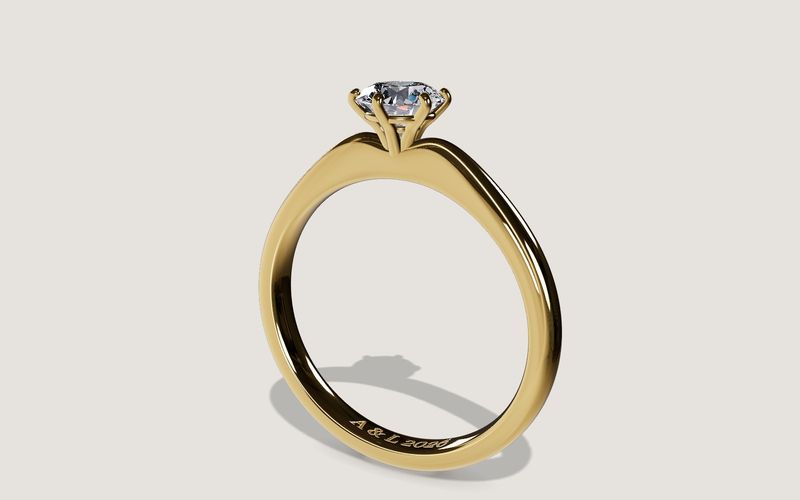
| Texture in the surface's own layout | Ring engraving | The text is written into a height and roughness map laid over the inside of the band. Light and shadow make it read as a cut groove. | Engraving, embossing, laser marking on surfaces with a known layout |
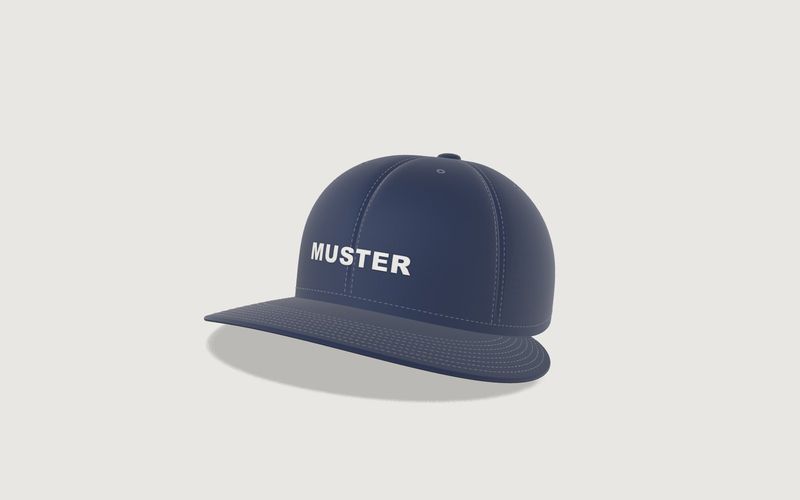
| Generated relief projected onto the surface | Cap embroidery | The text becomes raised satin stitch with thread direction and thread sheen, projected onto the curved crown, and projected again after every shape change. | Embroidery, patches, raised print on soft, curved surfaces |
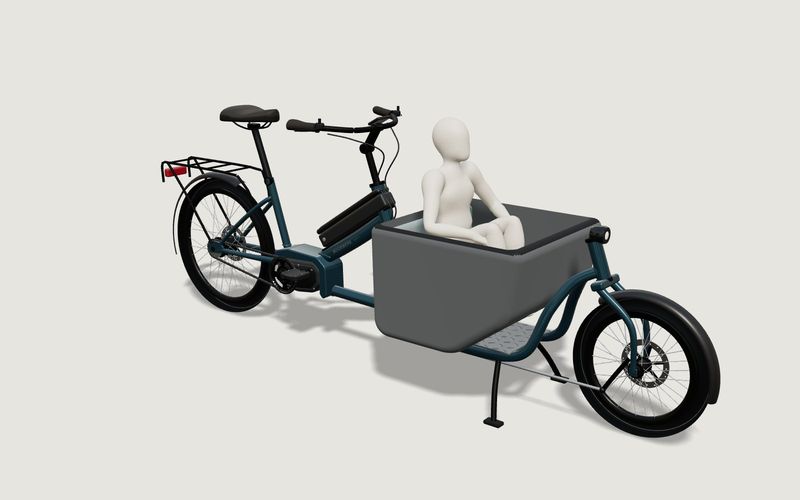
| Flat lettering on a flat surface | Cargo bike box lettering | The text is drawn into an image and placed as a thin layer on both sides of the box; the lettering shrinks until it fits. | Vinyl lettering, print on flat panels, signs |
All three generate the text in the browser rather than using pre-rendered images, so it appears as the customer types and there is no library of prepared pictures to maintain. The limits come from production: length, characters, minimum size. Those rules are covered in our guides to ring engraving and to embroidery rules.
What needs settling about typefaces and characters?
- The production typeface: the preview should use the typeface your engraving or embroidery machine uses. A similar system font leads to differences customers notice.
- Licensing: a typeface you use in production is not necessarily licensed for embedding on a website as well. Check the licence before the project.
- Character set: accents, ß, digits, symbols such as hearts or rings. The configurator should accept only characters both typeface and machine can handle.
- Load order: the typeface has to be loaded before the text is drawn. The cap demo waits for its typeface when it starts.
How do metal, stone, fabric and paint look believable?
With personalised products the differences are small and decisive: rose against yellow gold, gloss against matte, bone against sand. The demos show four typical approaches:
- Metal (ring): physically based base colours per alloy; brushed means fine lines round the band and direction-dependent sheen.
- Stone (ring): a dedicated shader follows light through the cut stone, with refraction, reflection, dispersion and absorption per stone colour. That is costly and only worth it where the stone is the product.
- Fabric and thread (cap): a tiling twill weave as surface texture, plus a separate sheen for the thread so the embroidery stands out from the fabric.
- Paint and bright metal (wheel, cargo bike): clear-coat, metallic and matte variants; on the wheel, a separate material for the diamond-cut face.
Limits remain. Screens differ, and a stone in a browser is a picture, not an assessment. For colour cards that customers rely on, a note that colours may differ and a sample service help.
How are size variants built without loading a model per size?
A ring in 17 sizes, a wheel in three rim sizes, a cargo bike in two frame lengths and two frame sizes: loading each variant as its own file would make the configurator slow and hard to maintain. The demos use three approaches:
| Approach | Example | Advantage | Precondition |
|---|---|---|---|
| Generated entirely in code | Ring: band, head and stone are calculated from dimensions; there is no model file | Any size, very little data | The shape can be described mathematically |
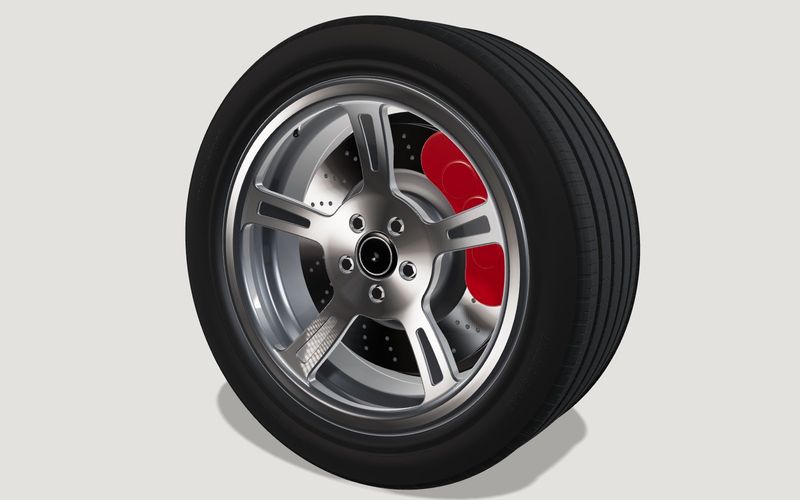
| Model file plus parts from code | Wheel: wheel face from a model file; rim barrel, tyre and brake disc built per size in code; the face is stretched outside the hub | The design geometry stays exact; sizes come from rules | A clean split between design and size-dependent parts |
| Shape variants in the model | Cap: one shape variant for the flat visor. Cargo bike: frame tubes built per length and size, weld beads precomputed | A few well-defined states | The variants are known and limited |
All four demos use our own generic geometry. For your product, geometry comes from your data: CAD, drawings or photos. Preparing CAD for the web is covered in CAD to a web 3D configurator. Jewellery and wheel makers often have CAD; for caps and other textiles there are often only pattern pieces and photos.
How heavy can such a configurator be?
Measured on a local server (page, three.js and model transferred; not field data from the network), the demos load between about 1.8 MB (cargo bike) and 4.6 MB (cap); the ring is about 2.6 MB and the wheel 4.2 MB. The ring is light despite stone and engraving because it needs no model file; the cap is heavier because fabric texture and stitch data come with it.
Three measures keep the start bearable:
- 3D on request: library pages show a preview image first; the 3D model loads when the visitor starts it.
- Stop drawing when idle: in the embedded library demos the turntable stops after 20 seconds, so an untouched phone stops rendering frames.
- A fallback without WebGL: if 3D cannot start on a device, the preview image stays with a short message.
On phones one detail matters for personalisation: text fields need at least 16 px type, or the iPhone zooms the whole page while the customer types. The embedded demos set this on touch devices. For more on load time and measurement, the general case is discussed in 3D product viewer.
What about the customer's text?
Engravings and lettering often contain names, dates and company names. Our recommendation: the text stays in the browser until the customer orders or enquires, and then goes only to whoever needs it for production. Usage statistics should record which controls were used, not what was typed. Which obligations apply in detail is a question for your data protection officer.
What has to be easy to change later?
With personalised products, colours, typefaces and seasonal items change most; geometry changes rarely. Keep them as data: colour cards with names and values, approved typefaces, text limits per area. A new thread colour is then an entry in a list, not a rebuild. How we set this up per project is described in custom 3D configurator development.
Common questions
Can an uploaded logo appear live like text?
As a preview, yes, with the same methods. Whether it can be embroidered or engraved like that is your production team's decision.
Does a jewellery or cap configurator need AR?
Not necessarily. AR is not part of our standard scope and is checked case by case; for small products, a close-up in the browser often tells buyers more.
Sources
- Demo techniques: demo sources /assets/mw3d/demos/ring.js, cap.js, wheel.js and kargo.js and the embedded demo pages such as /bibliothek/live-ring/ (read 14 November 2026)
- Load sizes: our own measurement on a local server, November 2026 (page, three.js and model transferred; no CDN or field data)
Examples to try
Own demo · fictional product
Cap with embroidery
A six-panel cap with your own embroidery: colours, thread, placement and brim shape.
Own demo · fictional product
Solitaire ring
An engagement ring with setting, stone and engraving, in your choice of metal, stone and size.
Own demo · fictional product
Front-loader cargo e-bike
A front-loader e-bike: pick the use case first, then rider size, battery and box – with range, rules and footprint live in 3D.
Own demo · fictional product
Alloy wheel
Rim, tyre and brake: switch the design, finish and size, and the tyre adapts.
Read next

Yurt configurator rules: placing doors and windows on the lattice wall
The rules a yurt configurator needs: wall length per diameter, the space each opening takes, a second door opposite, collision-free dragging, options.

Yard ramp slope, bed height and checks as configurator rules
How a yard ramp configurator calculates slope from length, level-off and bed height, and checks lift range, door opening and forklift clearance.

Wire partition planner rules: outline, doors and parts
The rules a wire partition planner needs: outline on a grid, wall lengths, heights, doors and service windows, ceiling and lock, layout checks and parts.