Implementing packaging in 3D: print data, glass, foil and browser technology
What data cartons, bottles, cans and fragrance sets need, how print, glass, foil and varnish are rendered in the browser, and where the limits are.
Short answer: implementing packaging in 3D is mainly about translating print data and materials correctly. The shape of a carton, bottle or can is usually simple; the work lies in putting artwork on the right surface, turning finishes into material properties, and rendering glass that refracts light. On top come the decisions every web 3D view has: what loads first, what is drawn at runtime, and how changes are made later.
This guide is for product, marketing and technical leads at packaging manufacturers and brands planning a 3D view. The examples come from our four packaging demos. The general route from CAD data to a web model is covered in CAD to a web 3D configurator; this guide covers what is different for packaging.

What data does packaging in 3D need?
| Product | Shape | Print and finishing | Material |
|---|---|---|---|
| Folding carton | Cutter guide with cut and crease lines as a vector file, board caliper | Artwork on the dieline, separated into inks, white, foil and varnish | Board grades, with photos of top side, reverse and cut edge |
| Cosmetic bottle | Drawing or CAD of bottle and closure, label area | Label layout, screen-print motif | Glass types, closure finishes, photos of samples |
| Beverage can | Can format, multipack data | Wrap per flavour, marking where bare metal shows | Varnish types, photos of samples |
| Fragrance set | Drawings or CAD of bottle, cap and box | Label, foil and embossing on the box | Glass, metal finishes, photos of samples |
Photos of real samples under known lighting matter more for packaging than for many other products. They are the yardstick for matching sheen, foil and glass.
Is the shape modelled, taken from CAD or generated in code?
Our demos use two routes:
- Generated in code: the folding carton and the cosmetic bottle are calculated from dimensions when they load. Each carton panel comes from the cutter guide and the folding from the creases. The bottle's shape is described mathematically, which is why it can morph from round to square. This pays off when sizes or shapes should vary as parameters.
- Loaded as a finished model: the beverage can and the fragrance set are glTF files (GLB), an open format for 3D models on the web [1]. This pays off when the shape is fixed and detailed, such as the can's opening mechanism or a box with an insert.
Whether your CAD data can be used directly depends on its level of detail. Production data for a bottle or closure often contains more than a view needs and is simplified.
How does artwork get onto the pack?
Print data is placed on the surface as an image. The key is that the model's unwrapped surface matches the print data exactly. For the folding carton that is straightforward: the dieline is the unwrapped surface. For the can, the body wrap is laid around the cylinder.
Finishes are not colours but layers of their own. In the folding carton demo, inks are multiplied onto the board, opaque white and gold foil go on top, and separate masks control where the surface is matte, velvety or glossy and where metal or varnish sits. On the can, every flavour brings a mask alongside its artwork that sets where the aluminium shows through. Print data with separate layers for inks, white, foil and varnish saves work in implementation.
How are glass, varnish, foil and soft-touch made?
Web 3D models describe materials physically: base colour, metalness, roughness. For packaging that is often not enough. glTF has extensions for this, for example a clear coat layer [2], a sheen as used for fabrics [3], and light-transmitting materials such as glass [4]. In the demos:
- Gloss and matt: on the can and the carton, varnishes differ in roughness and clear coat.
- Soft-touch: the carton uses higher roughness and a velvety sheen.
- Foil and metal: metallic surfaces with their own roughness; on the fragrance set, the metal parts on cap, spray head and neck and the box foil are controlled together.
- Glass: here the demos differ. The perfume bottle uses a standard light-transmitting material that needs an opaque background. The cosmetic bottle traces every view ray itself through glass, air and content, with refraction, reflection and absorption. That looks more accurate but costs more rendering time.
The fragrance set's GLB file uses, among others, the glTF extensions for transmission and clear coat; the can's uses the one for clear coat. The carton and the cosmetic bottle are generated in code and set their materials directly in the 3D library.
Which route suits your product depends on how much the glass drives the purchase and which devices the view must run on. When still images are enough and when interactive 3D pays off is covered on our 3D product viewer page.
What is prepared, and what is drawn at runtime?
- Prepared: the can's flavour designs are finished artworks inside the model. That suits fixed designs.
- Drawn at runtime: the perfume label, the carton's product name and the cosmetic bottle's brand name are redrawn on every input. That is how freely typed text can be shown at once.
A live preview of freely typed text is usually drawn at runtime, and then needs rules for length, characters and type size; the perfume demo cuts names to 16 characters and scales the type to fit. Details are in perfume bottle and box in 3D.
How heavy is a packaging view, and what loads first?
We measured the demo pages locally, including the 3D library and the model. About 2.8 MB were transferred for the folding carton, about 2.7 MB for the cosmetic bottle, about 3.0 MB for the fragrance set and about 5.8 MB for the beverage can. These are measurements on a local server, not field data from the network, but they show the order of magnitude: finished artworks and models weigh more than shapes generated in code.
On the library pages a preview image appears first; the 3D view starts only when the visitor opens it. If a device lacks the 3D support needed, the demos show a message rather than an empty frame. On the folding carton and the cosmetic bottle the turntable stops after 20 seconds, so an unattended page stops using processing time. Visitors who have set "reduce motion" see state changes without animation in all four demos [5].
Where are the limits of the rendering?
- Colour: inks, foil and glass look slightly different on every screen. The 3D view is an approximation; proofs and samples remain binding.
- Product claims: the view makes no statement on material suitability, food or cosmetic contact, recycling or labelling. The manufacturer is responsible for those.
- Finest detail: embossing, very fine type and textures are approximated, not reproduced exactly.
How are changes made later?
With packaging, designs change more often than shapes. Plan before the start which changes should be possible as data: a new flavour as a new artwork, a new finish as a new material value, a new text as an input. A new shape is almost always modelling work. Unreleased designs stay on private links until approval; how such approvals run in sales is covered in packaging in 3D: approval, samples and sales.
The four example configurators
All four demos are example configurators by Modelwright with fictional products and example values. No manufacturer commissioned or reviewed them.
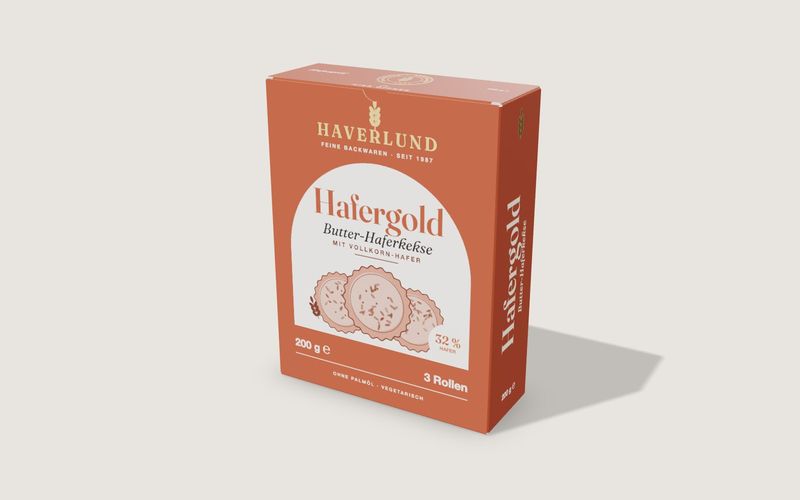
Own demo · fictional product
Folding box
A tuck-end carton from flat dieline to open box, with real board thickness, creases, print and finishing.
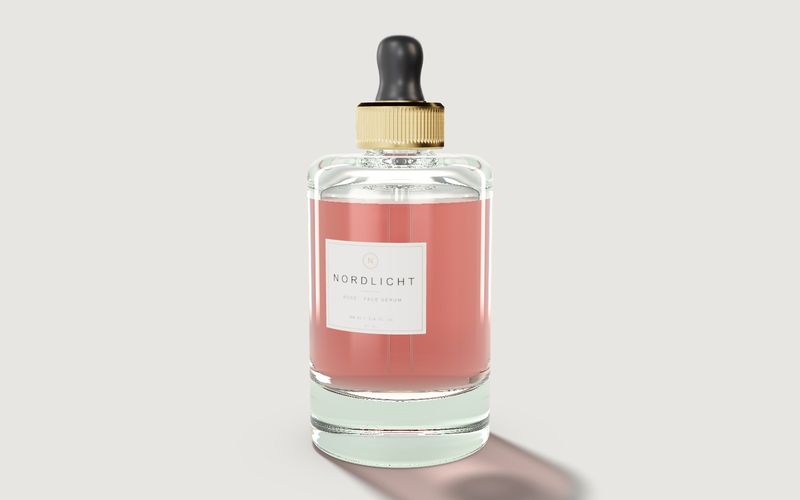
Own demo · fictional product
Cosmetics bottle
A serum bottle with glass, content, cap and label: for design reviews, the shop and sign-off.

Example configurator · fictional product
Beverage can 330 ml
A beverage can with three flavour designs, matt or gloss finish, condensation, single can, 4-pack or 6-pack – to turn and open.

Example configurator · fictional product
Perfume bottle and box
A perfume bottle with box: glass colour, cap, label with your own name, open and unpack the box – with an exploded view.
Frequently asked questions
In which format should we deliver print data?
In the format your prepress already uses, with separate layers for inks, white, foil and varnish. We check before the start that the data fits.
Does it work without CAD data?
For cartons the cutter guide is enough. For bottles, technical drawings with dimensions and photos are often enough.
How we build viewers and configurators: custom 3D configurator development. Scope and cost: what a 3D configurator costs.
Sources
- Khronos Group: glTF 2.0 specification and extensions, read 14 November 2026: github.com/KhronosGroup/glTF
- Khronos Group: KHR_materials_clearcoat, read 14 November 2026: github.com
- Khronos Group: KHR_materials_sheen, read 14 November 2026: github.com
- Khronos Group: KHR_materials_transmission, read 14 November 2026: github.com
- MDN Web Docs: prefers-reduced-motion, read 14 November 2026: developer.mozilla.org
- Demo features, code and measurements: library pages and source code of the four demos (box.js, bottle.js, can.js, perfume.js, label-art.js); local transfer sizes from the 14 November 2026 test logs: example configurators
Examples to try
Own demo · fictional product
Folding box
A tuck-end carton from flat dieline to open box, with real board thickness, creases, print and finishing.
Own demo · fictional product
Cosmetics bottle
A serum bottle with glass, content, cap and label: for design reviews, the shop and sign-off.
Read next

Yurt configurator rules: placing doors and windows on the lattice wall
The rules a yurt configurator needs: wall length per diameter, the space each opening takes, a second door opposite, collision-free dragging, options.

Yard ramp slope, bed height and checks as configurator rules
How a yard ramp configurator calculates slope from length, level-off and bed height, and checks lift range, door opening and forklift clearance.

Wire partition planner rules: outline, doors and parts
The rules a wire partition planner needs: outline on a grid, wall lengths, heights, doors and service windows, ceiling and lock, layout checks and parts.